

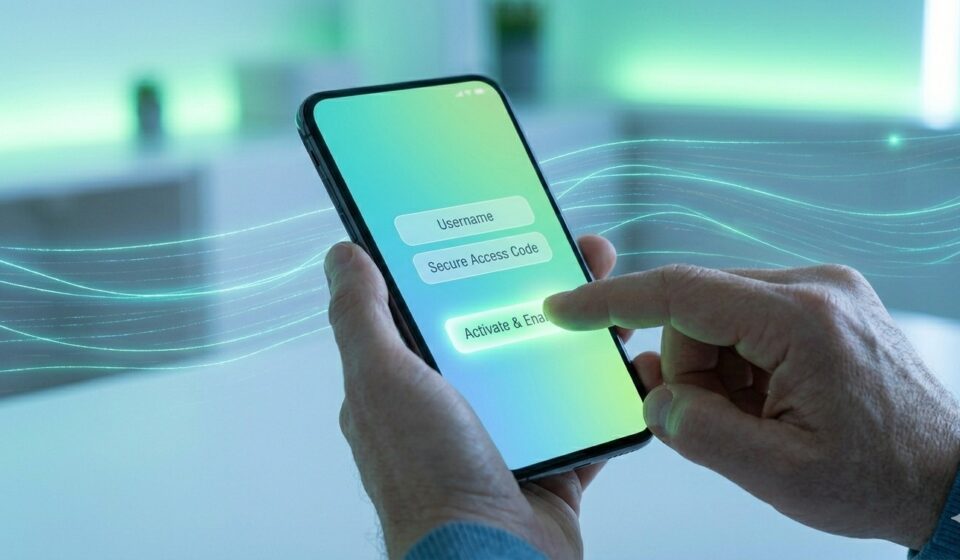

In today’s fast-paced digital world, mobile banking has become an essential part of everyday life. Whether you want to transfer money, check your account balance, pay bills, or recharge your phone, mobile banking allows you to do everything instantly from your smartphone.
If you’re new to digital banking or unsure how to get started, this detailed guide will walk you through how to enable mobile banking step-by-step, along with benefits, requirements, security tips, and common issues.
What is Mobile Banking?
Mobile banking is a service provided by banks that allows customers to perform financial transactions using a mobile device such as a smartphone or tablet. It works through:
- Mobile banking apps
- SMS banking
- USSD codes
With mobile banking, you no longer need to visit a bank branch for everyday tasks.
Benefits of Mobile Banking
Before enabling mobile banking, let’s understand why it’s so useful:
1. 24/7 Access
You can access your bank account anytime, anywhere.
2. Instant Transactions
Transfer money instantly using IMPS, UPI, or NEFT.
3. Bill Payments Made Easy
Pay electricity, water, credit card bills, and more with just a few taps.
4. Time-Saving
No more waiting in long queues at the bank.
5. Secure Banking
Advanced encryption and OTP verification ensure safe transactions.
Requirements to Enable Mobile Banking
Before you begin, make sure you have the following:
- A bank account
- A registered mobile number linked to your bank account
- A smartphone with internet access
- A debit card (ATM card) for verification
- Bank app downloaded from the official app store
Step-by-Step Guide to Enable Mobile Banking
Follow these simple steps to activate mobile banking:
Step 1: Download the Official Banking App
Go to the Google Play Store or Apple App Store and download your bank’s official mobile banking app.
Tip: Always verify the app publisher to avoid fake apps.
Step 2: Open the App and Select “New User Registration”
After installing the app:
- Open it
- Click on “New User” or “Register”
Step 3: Verify Your Mobile Number
- The app will send an SMS from your registered mobile number
- This step verifies your identity automatically
Note: Make sure your SIM is in the same phone.
Step 4: Enter Account Details
You may need to enter:
- Account number
- Debit card details
- Date of birth or PAN number
This helps the bank confirm your identity.
Step 5: Create Login Credentials
Now, set up:
- User ID
- Password or MPIN (Mobile PIN)
Make sure your password is strong and secure.
Step 6: Set Transaction PIN
For financial transactions, you will need to create a Transaction PIN (TPIN).
Step 7: Login and Start Using Mobile Banking
Once everything is set:
- Log in using your credentials
- Explore features like balance check, fund transfer, and bill payments
How to Enable Mobile Banking via ATM
If you prefer offline activation, follow these steps:
- Visit the nearest ATM
- Insert your debit card
- Select “Mobile Banking Registration”
- Enter your mobile number
- Confirm the request
You will receive an activation message on your phone.
How to Enable Mobile Banking via Bank Branch
You can also activate mobile banking by visiting your bank branch:
- Fill out a mobile banking registration form
- Submit it with ID proof
- Your bank will activate the service within 24–48 hours
Popular Mobile Banking Services You Can Use
Once enabled, you can access:
- Balance enquiry
- Mini statements
- Fund transfers (UPI, NEFT, IMPS)
- Bill payments
- Mobile recharge
- Loan and credit card management
- Online shopping payments
Common Problems While Enabling Mobile Banking
Here are some issues you might face:
1. Mobile Number Not Registered
Solution: Visit the bank and update your mobile number.
2. OTP Not Received
Solution: Check network connection or try again later.
3. App Not Working
Solution: Update the app or reinstall it.
4. Incorrect Details
Solution: Double-check your account and debit card details.
Mobile Banking Security Tips
Security is very important when using mobile banking. Follow these tips:
1. Use Strong Passwords
Avoid simple passwords like 1234 or your name.
2. Never Share OTP
Banks never ask for OTPs or PINs.
3. Download Official Apps Only
Avoid third-party or unknown apps.
4. Enable Phone Lock
Use fingerprint or face lock for extra security.
5. Avoid Public Wi-Fi
Do not access banking apps on unsecured networks.
6. Logout After Use
Always log out after completing transactions.
Mobile Banking vs Internet Banking
| Feature | Mobile Banking | Internet Banking |
| Device | Smartphone | Computer/Laptop |
| Access | App-based | Browser-based |
| Convenience | High | Moderate |
| Speed | Faster | Slightly slower |
Mobile banking is more convenient for daily use, while internet banking is better for detailed transactions.
FAQs on Mobile Banking
1. Is mobile banking free?
Yes, most banks offer mobile banking services free of cost, but some transactions may have charges.
2. Can I use mobile banking without internet?
Yes, through SMS or USSD services, but features are limited.
3. Is mobile banking safe?
Yes, if you follow proper security measures like not sharing your PIN or OTP.
4. How long does activation take?
Usually, it takes a few minutes to a few hours.
5. Can I use mobile banking on multiple devices?
Yes, but you may need to verify each device.
Conclusion
Enabling mobile banking is simple, quick, and extremely beneficial in today’s digital age. With just a few steps, you can unlock a wide range of banking services right from your smartphone.
Whether you choose to activate it via an app, ATM, or bank branch, mobile banking ensures that you stay in control of your finances anytime, anywhere.
By following the steps and safety tips mentioned in this guide, you can enjoy a seamless and secure mobile banking experience in 2026 and beyond.