How to Withdraw Money from ATM in India

Introduction
Ever stood in front of an ATM, fumbling with your card, only to realize you’ve forgotten a simple step? You’re not alone! In India, ATMs are everywhere—from bustling city streets to quiet neighborhood corners—making cash withdrawal a daily necessity. But with rising digital payments, many beginners still rely on ATMs for quick cash, whether it’s for groceries, travel, or emergencies.
This guide breaks down how to withdraw money from ATM in India in a foolproof, step-by-step way. We’ll cover everything from inserting your card to troubleshooting common glitches, plus safety tips, fees, limits, and even cardless options. Whether you’re a first-timer or just want to avoid those pesky errors, stick around. By the end, you’ll breeze through any ATM like a pro. Let’s dive in and make your next cash run effortless!
Understanding ATMs in India: The Basics
India’s ATM network is massive, with over 200,000 machines nationwide as of 2026. Major banks like SBI, HDFC, ICICI, Axis, and PNB dominate, but you’ll also find white-label ATMs from operators like Hitachi and India1 Payments.

Types of ATMs You’ll Encounter
- Bank-owned ATMs: Free or low-fee withdrawals for your bank’s customers; often 24/7 in branches.
- White-label ATMs: Run by non-banks, great for remote areas but may charge extra.
- Off-site ATMs: In malls, petrol pumps, or airports—convenient but watch for fees.
- Talking ATMs: Voice-guided for visually impaired users.
Pro tip: Use your bank’s ATM for free transactions. Apps like Google Maps or your bank’s locator make finding the “bank ATM near me” a snap.
ATMs accept RuPay, Visa, and Mastercard debit cards. Most support Hindi, English, and regional languages—select your preference on the screen.
Step-by-Step Guide: How to Withdraw Money from ATM in India
Ready to get cash? Follow these ATM withdrawal India steps. It takes under 2 minutes!
Step 1: Locate and Prepare
- Check your balance via app or SMS to avoid overdrafts.
- Carry your debit card and memorize your PIN (never write it down).
- Find an ATM: Use bank apps, Google “ATM near me,” or NPCI’s ATM locator.
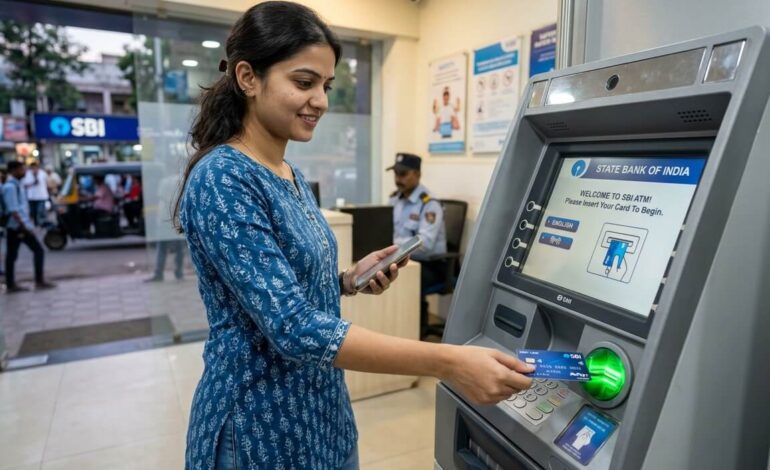
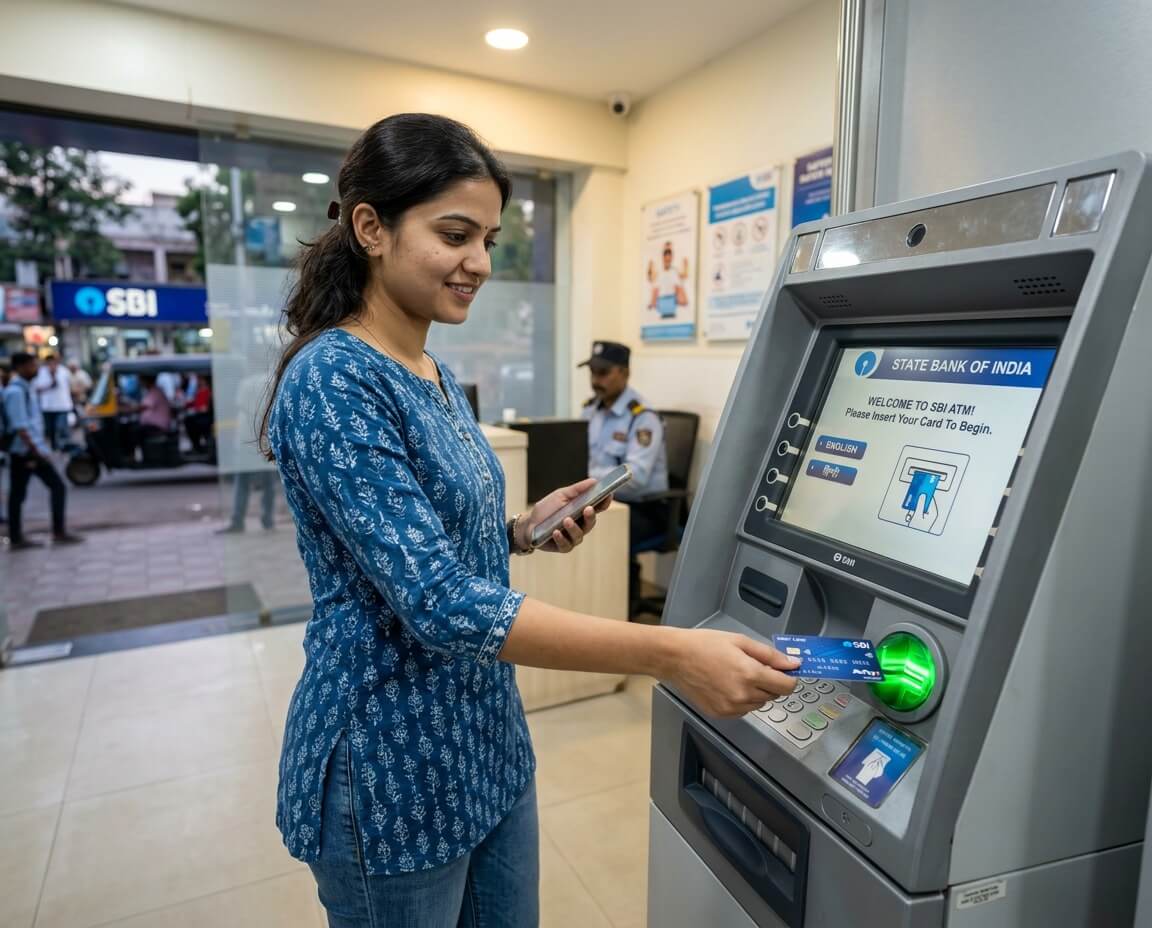
Step 2: Insert Your Card
- Approach a well-lit, CCTV-covered ATM (more on safety later).
- Insert your debit card into the slot—chip side up (newer cards) or magnetic stripe down (older ones).
- The machine reads it and prompts for language.
Step 3: Enter Your PIN
- Key in your 4-digit PIN using the keypad. Shield it with your hand—no peeking cameras!
- Confirm with “Enter” or “Yes.”
Step 4: Select ‘Cash Withdrawal’
- From the menu, choose “Withdrawal” or “Cash Withdrawal.”
- Pick “Savings” or “Current” account (most use savings).
- Enter amount: Common options are ₹500, ₹1,000, ₹2,000, ₹5,000, or ₹10,000. Or type custom.
Step 5: Confirm and Collect Cash
- Review details on screen—double-check amount!
- Press “Yes” or “Confirm.”
- Collect cash (count it discreetly) and your receipt.
- Remove card promptly—the machine ejects it automatically.
Done! If it jams, note the reference number and call your bank.
Actionable Tip: For quick withdrawals, opt for “Fast Cash” buttons like ₹1,000 or ₹2,000—no typing needed.
Daily ATM Withdrawal Limits in India
Banks set limits to curb fraud. Here’s a snapshot (varies by bank/card type):
| Bank | Basic Debit Card | Premium Debit Card |
| SBI | ₹20,000–₹40,000 | ₹1,00,000 |
| HDFC | ₹25,000 | ₹1,50,000 |
| ICICI | ₹20,000 | ₹1,00,000 |
| Axis | ₹25,000 | ₹1,00,000 |
Per transaction: Usually ₹10,000–₹40,000.- Cardless limits: Often lower, like ₹10,000/day.
- Check/update via net banking or app—post-demonetization rules tightened these.
Exceeding? Your card declines. Tip: Split into multiple transactions if needed.
ATM Transaction Fees and Charges in India
Non-home bank ATMs sting! RBI mandates:
- Same-bank ATM: Free (unlimited for metro banks; 5 free/month rural).
- Other-bank ATM:
| Transactions/Month | Metro Fee | Non-Metro Fee |
| 1–3 | Free | Free |
| 4–5 | ₹10 + GST | ₹10 + GST |
| 6+ | ₹20 + GST | ₹20 + GST |
White-label: Up to ₹21 + GST. Always check screen for “surcharge” before confirming.
Hack: Enable UPI for fee-free alternatives like Google Pay ATM withdrawals.
Safety Tips for Secure ATM Withdrawals
Scams are real—don’t be a victim!
- PIN Protection: Cover keypad; change PIN quarterly via app.
- Machine Check: Look for skimmers (loose card readers) or tiny cameras. Wiggle slots—if loose, leave.
- Timing: Avoid isolated ATMs at night; prefer 24/7 guarded ones.
- Post-Withdrawal: Don’t count cash outside; pocket it and walk away.
- Phishing Alert: Banks never call for PIN—ignore suspicious SMS.
Example: In 2025, Mumbai police busted a skimming ring—stay vigilant!
Bonus: Enable SMS alerts for instant transaction notifications.
Cardless ATM Withdrawal: Modern Alternatives
Forgot your card? No sweat! Many banks offer ATM without card India options.
Popular Methods:
- UPI-Based (BHIM, PhonePe): Scan QR on ATM screen, enter UPI PIN.
- Aadhaar-Enabled (AEPS): Use fingerprint/iris scan at select ATMs.
- App-Generated OTP: SBI YONO or HDFC app sends one-time code to ATM.
Steps for UPI:
- Select “Cardless” on ATM.
- Scan QR via app.
- Enter amount and UPI PIN.
- Get cash!
Limits: ₹10,000–₹20,000/day. Ideal for emergencies.
Common ATM Problems and Fixes
Glitches happen. Here’s your troubleshoot kit:
- Card Stuck: Press “Cancel,” wait 30 seconds, or call helpline (printout has number).
- “Insufficient Funds”: Even with balance? Check holds or limits.
- Transaction Declined: Wrong PIN (retry twice max), expired card, or network issue.
- No Cash Dispensed: Money debited? Visit branch with receipt within 30 days—RBI refunds if proven.
Hotlines: SBI 1800-11-2211, HDFC 1800-1600.
FAQ
1. What is the maximum ATM withdrawal limit in India?
Daily limits range from ₹20,000–₹1,50,000 depending on bank and card. Basic savings accounts cap at ₹40,000; premium at higher. Check your bank’s app for exacts—RBI allows banks to set these for security.
2. Can I withdraw money from any ATM in India?
Yes, but same-bank ATMs are free. Other banks charge after 3–5 transactions/month (₹10–₹21 + GST). Use NPCI network ATMs for best compatibility with RuPay/Visa cards.
3. How do I withdraw money without an ATM card in India?
Use UPI apps (PhonePe, GPay) to scan ATM QR codes, or AEPS with biometrics. Enter amount and PIN—cash out up to ₹20,000/day. Available at SBI, HDFC, and white-label ATMs.
4. What should I do if my ATM card gets stuck?
Cancel the transaction, wait 30 seconds, and gently remove. If stuck, note the reference number from receipt/screen and call your bank’s 24/7 helpline. Don’t force it!
5. Are there fees for ATM withdrawals in India?
Same-bank: Free (5–unlimited/month). Others: Free for first 3–5, then ₹10–₹21 + GST. Screen warns before charging—always confirm.
6. How can I find the nearest ATM in India?
Use bank apps (SBI YONO, HDFC MobileBanking), Google Maps (“ATM near me”), or NPCI’s website. Filter by bank for free withdrawals.
7. Is it safe to withdraw money from ATM at night?
Prefer well-lit, CCTV-monitored ATMs in busy areas. Cover PIN, check for skimmers, and enable alerts. Avoid if alone—daytime is best.
Conclusion
Withdrawing money from an ATM in India is straightforward once you know the ropes: locate, insert card, PIN, select withdrawal, grab cash, and go. We’ve covered steps, limits (₹20k–₹1.5L daily), fees (free at home banks), safety hacks, cardless tricks, and fixes for hiccups. Beginners, you’re set—no more stress!
Next time, scan for skimmers, use your bank’s ATM, and enable alerts. For seamless banking, download your bank’s app today. Got a cash crunch or ATM story? Drop it in the comments—what’s your go-to tip? Stay safe and cash-savvy!